Interactive 360° Photo & Video

Viewer for Mac

Instantly inspect, play, and navigate panoramic media from your favorite 360 cameras.

Features 5 viewing modes, full video controls, and native desktop performance.

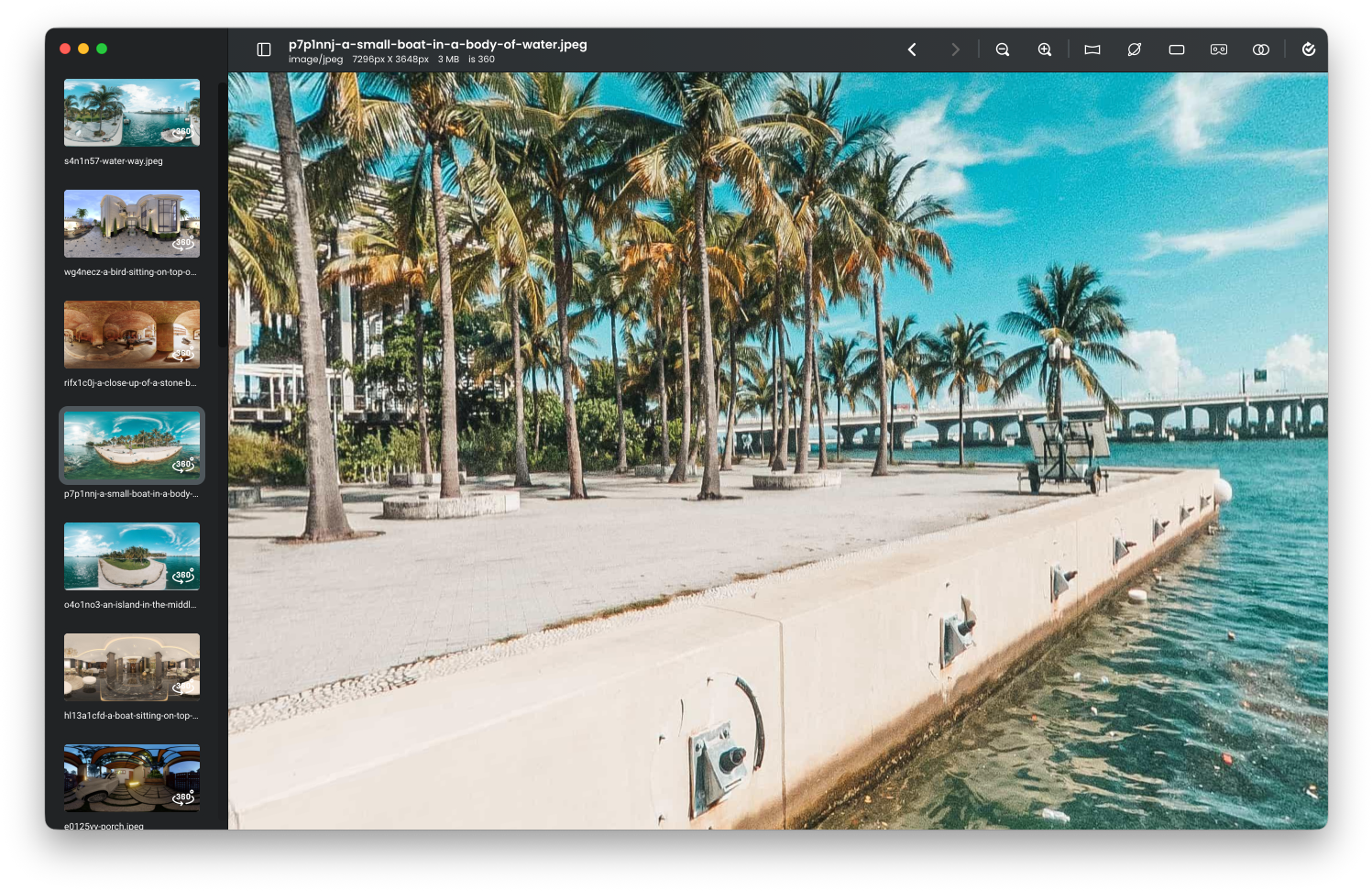
360 Preview fixes the hassle of opening panoramic media on macOS. The app automatically detects 2:1 equirectangular photos and videos, instantly rendering them in interactive 360° space. Whether you shoot on an Insta360, Ricoh Theta, or GoPro, 360 Preview lets you drag, zoom, auto-rotate, and toggle between 5 immersive projection modes—all without complex editing software or cloud uploads.


Key Features & Workflow

Instant camera compatibility

Instant Camera Compatibility

Native support for 2:1 equirectangular media exported from popular cameras, including Insta360, Ricoh Theta, GoPro Max, Samsung Gear 360, LG, and Z CAM.

Batch import queue

Batch Import Queue

Drag and drop up to 100 photos or videos at once. Navigate easily using the thumbnail sidebar and keyboard shortcuts.

Full video playback

Full Video Playback

Play 360 MP4 videos with seek controls, volume adjustment, looping, and smooth autoplay support.

Interactive navigation

Interactive Navigation

Smooth mouse drag controls, 0.2x to 1.8x panoramic zoom, auto-rotation browsing, and fullscreen mode.

Universal file support

Universal File Support

Inspect JPEG, PNG, GIF, WebP, and MP4 files directly from Finder or system recent-document history.

Viewing Modes & Features

Panorama view default

Panorama View (Default)

Smooth, interactive 360-degree equirectangular inspection for both photos and videos. Drag to look around in any direction.

Little planet view

Little Planet View

Turns your panoramic images into striking, miniature-planet projections with a single click.

Stereo and cardboard modes

Stereo & Cardboard Modes

Split the immersive display for VR, mobile cardboard, and stereoscopic headsets.

Flat view

Flat View

Quickly view non-panoramic media or review 360 files in conventional 2D mode with up to 4x zoom.

Supported Viewing Modes & Media Breakdown

Viewing Mode

360° Images

360° Videos

Primary Use Case

Panorama

Supported

Supported

Interactive drag-and-spin inspection

Little Planet

Supported

Auto-Panorama

Creative spherical photo previews

Flat Mode

Supported

Supported

Standard 2D viewing (up to 4x zoom)

Cardboard

Supported

Supported

Mobile VR / Google Cardboard headsets

Stereo

Supported

Supported

Dual-lens stereoscopic viewing

Frequently Asked Questions

Does 360 Preview edit or export panoramic photos?

How does the app detect 360-degree content?

Can I view standard non-panoramic photos in 360 Preview?

What system versions are supported?